The Team
This was a team project I did as a student at Bentley University with the following (incredibly talented and dedicated) team members:
- John Amir-Abbassi
- Helga Gruenbauer
- Caroline Handel
- Dan Orth
- Andrea Wong
We conducted the project under the leadership and guidance of Christian Rohrer (Intel Security) and Nancy Dickenson (Bentley University). The project was completed in three very intense weeks.
Background
The data users generate on social media sites and with wearable technology can make them vulnerable to creepers (people who use online technologies to pry or stalk). Although any one source of data may be of limited use, triangulating data from multiple sources can give creepers more information about their subjects than the subjects ever intended—and it’s easier than many people realize.
In this project, Intel Security asked the Bentley team to use design-thinking methodology to identify potential solutions to the creeper problem.
Process
Phase 1: Self Organization
At the start of the project, the team reviewed each member’s capabilities to assign project roles, decided on project tools (Google Hangouts for meetings, Slack and Mural for collaboration), and created a team calendar to schedule regular meetings. The team spanned three time zones, and members had a variety of personal and professional obligations to accommodate.
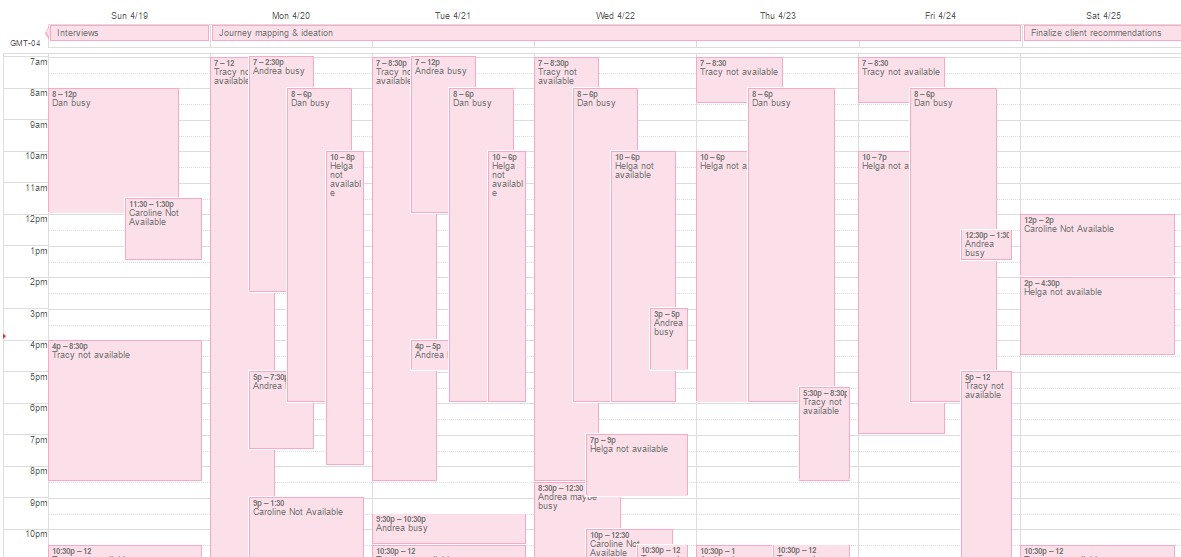
This shows when each team member was not available. Yikes! Click on the image to see it full size.
I took on a kind of project management role. In addition to contributing to design-thinking exercises, I scheduled meetings, set agendas, took notes, and kept meetings on track. I also volunteered to take the lead on organizing artifacts from the project to hand in as part of the class assignment.
Phase 2: Research
We wrapped our heads around the problem with a few days of secondary research. We posted articles, blog posts, and videos to Slack for everyone to review.
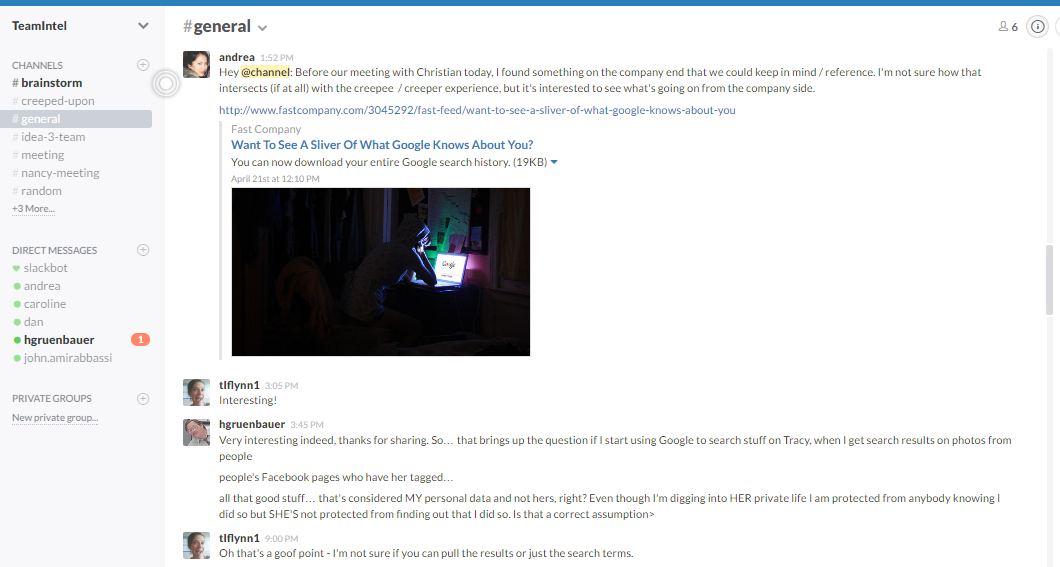
Slack conversation during the early research phase. Click on the image to see it full size.
Next, we set out to understand the emotional landscape around the creeper problem with user research. Each team member recruited participants via social media and was responsible for conducting at least one interview.
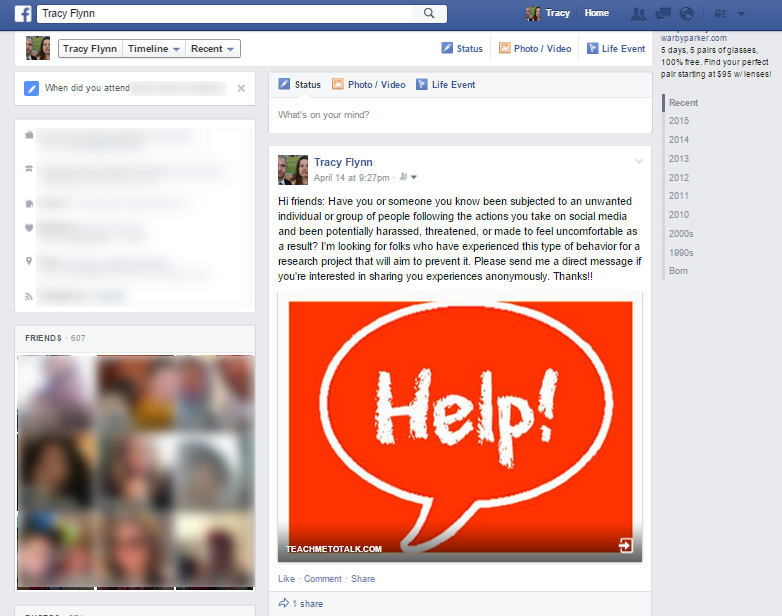
Research recruit post on Facebook. Click on the image to see it full size.
We compiled our findings, taking a tally of the emotional terms our participants had used to describe their experiences so we could identify trends.
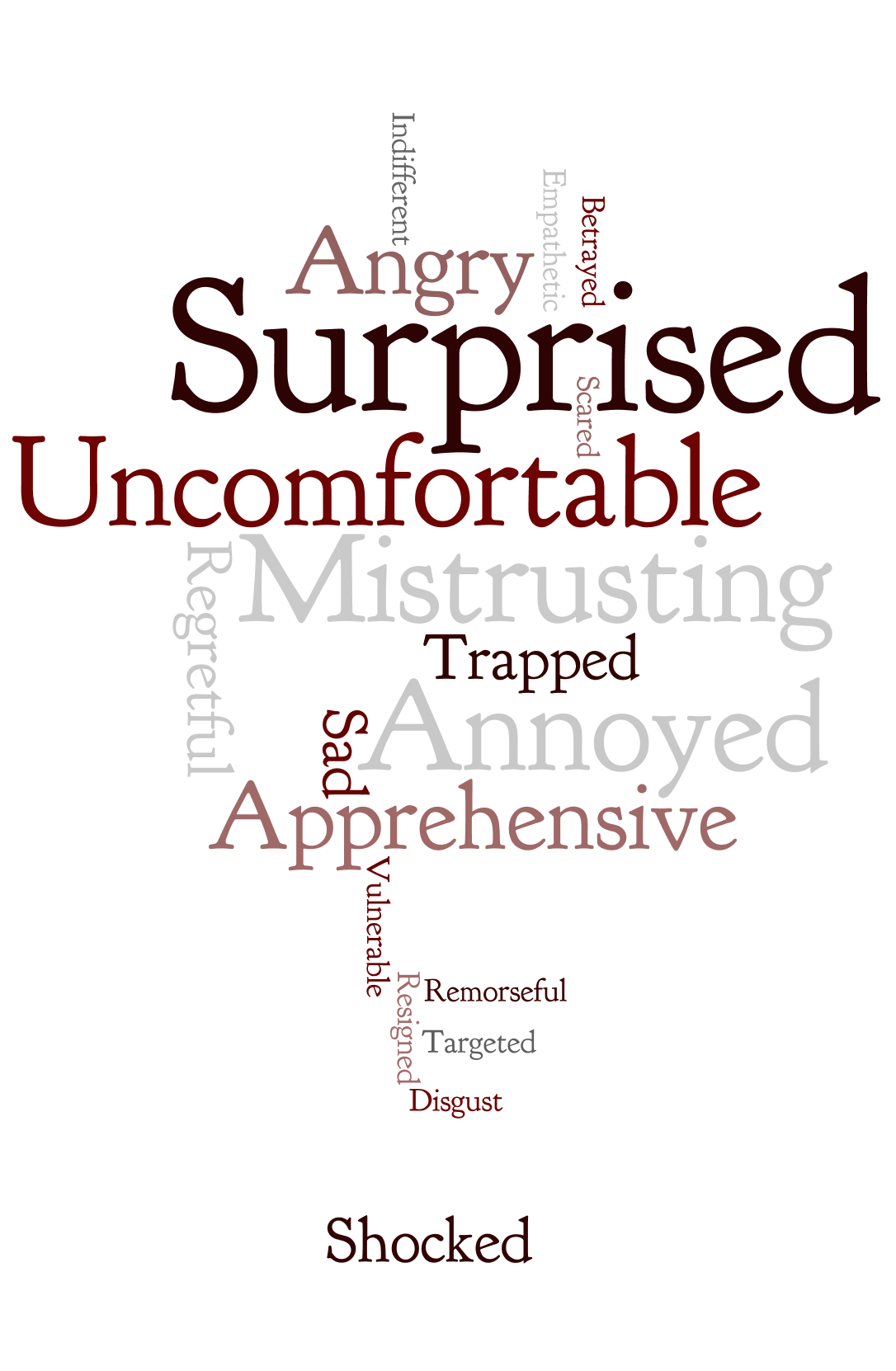
Word cloud showing the emotions people referenced during interviews. Click on the image to see it full size.
Phase 3: Focus on Emotions
Now that we had done both broad (secondary) and narrow (primary) research on the creeper problem, we placed our focus on emotions. Using a Mural board, we brainstormed and then categorized the emotional effects of creeping. We put the emotions into a rough user journey.

First draft of user journey with emotions. Click on the image to see it full size.
Then we narrowed the focus and fine-tuned the user journey.

Finalized user journey. Click on the image to see it full size.
Our next challenge was to flip the negative emotions to positives and identify “How might we…” questions that would lead us to solutions.

Mural board showing negative and positive emotions. Click on the image to see it full size.

Initial brainstorm of “How might we…” questions. Click on the image to see it full size.
We settled on three questions to help us solve the creeper problem:
- How might we reduce the anxiety people feel over their shared information being viewed by unintended parties online?
- How might we give people hope that they can feel safe again after a creeper incident?
- How might we turn anxiety into a catalyst for engagement?
Phase 4: Solutions
In phase 4, we followed the same design-thinking pattern we had adopted at the start of the project: “go broad” by brainstorming, and then “go narrow” by categorizing, combining, and discarding ideas. In our solutions brainstorm, we came up with 26 possible solutions.
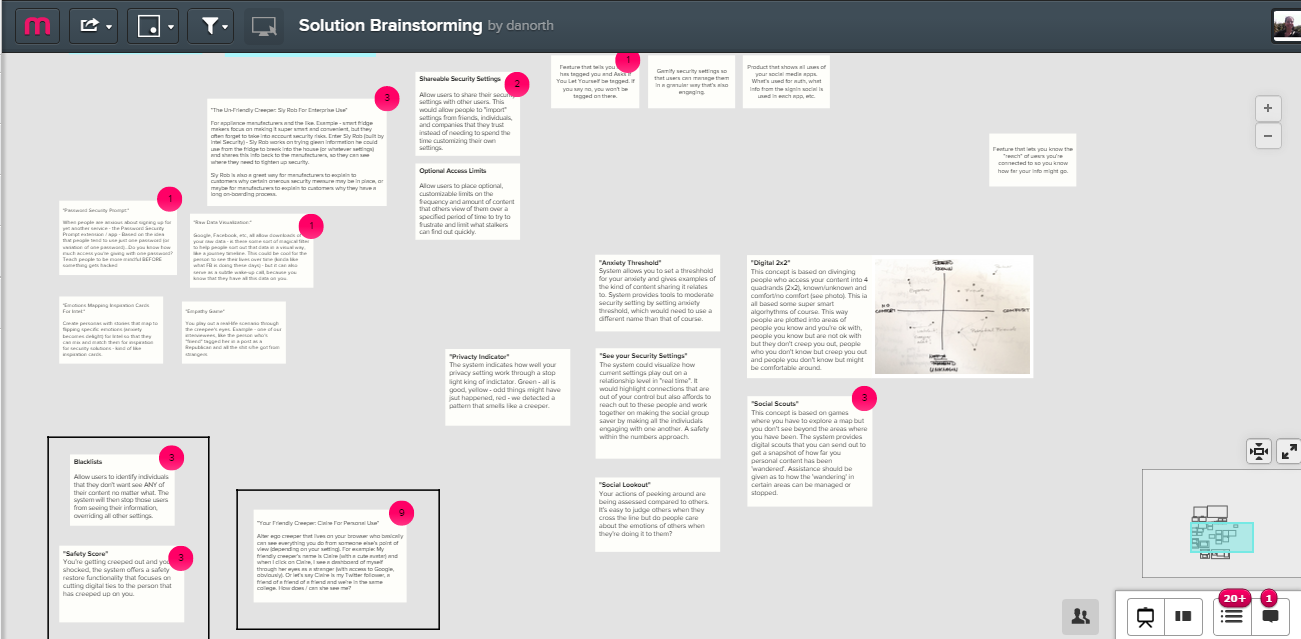
Initial solution brainstorm. Click on the image to see it full size.
At this point, we started getting a little delirious from all the late-night meetings. This was a great deal of work for six strangers in three weeks!
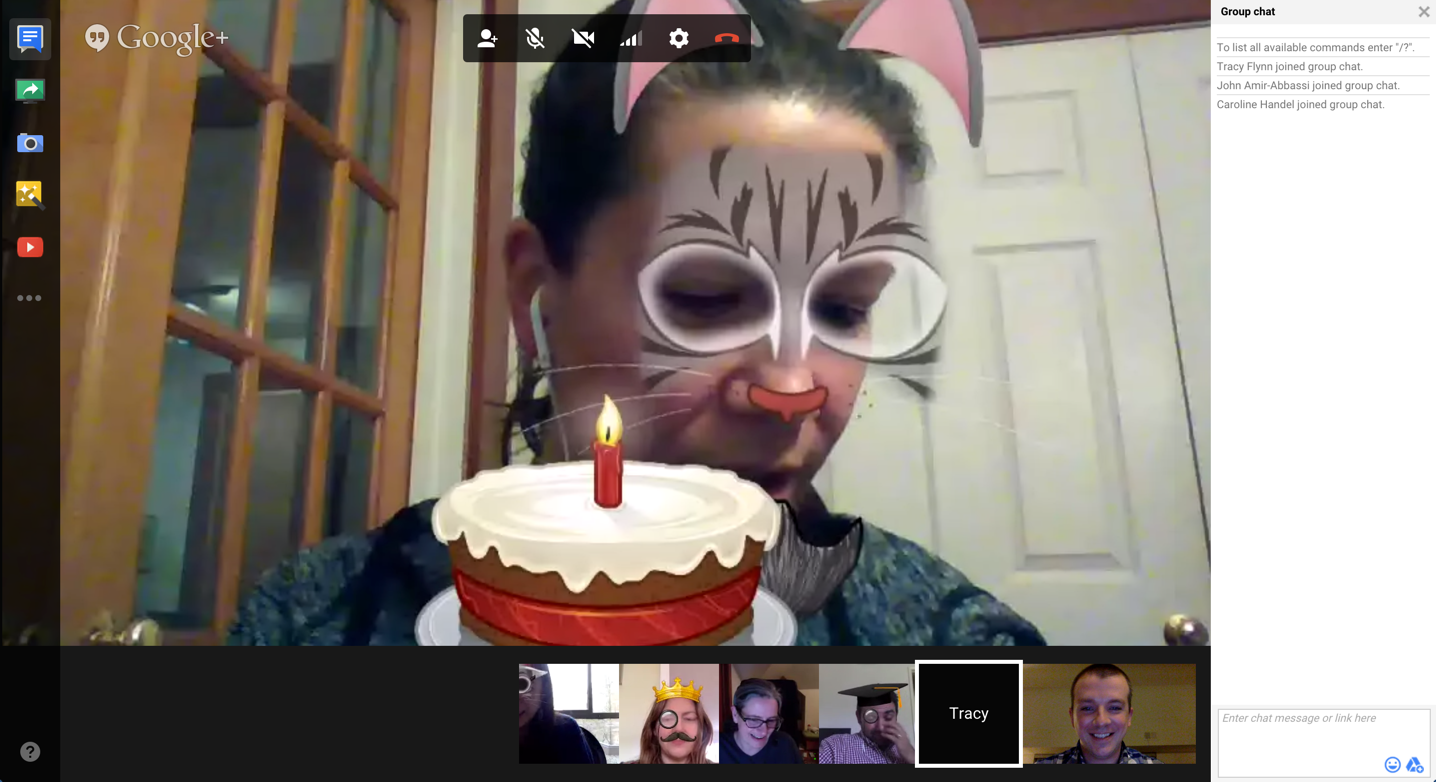
Going bonkers in week three. Click on the image to see it full size.
We eventually settled on two ideas to pitch to Intel Security. The team divided into two subgroups to deep dive the solutions and prepare the presentation. But once we split up, there was lack of clarity on what each of the two solutions would do. With the clock running on the due date, there was little time to waste. The team spent a full weekend going back & forth on Slack until the issue was solved. Lesson learned: fine-tune the scope of each solution before splitting up!
Our solutions were:
- WhoSeesMe: Lets you control how widely your shared information will be seen and by whom, preventing creepers from finding and viewing your information ever again.

Wireframe 1 for WhoSeesMe. Click on the image to see it full size.
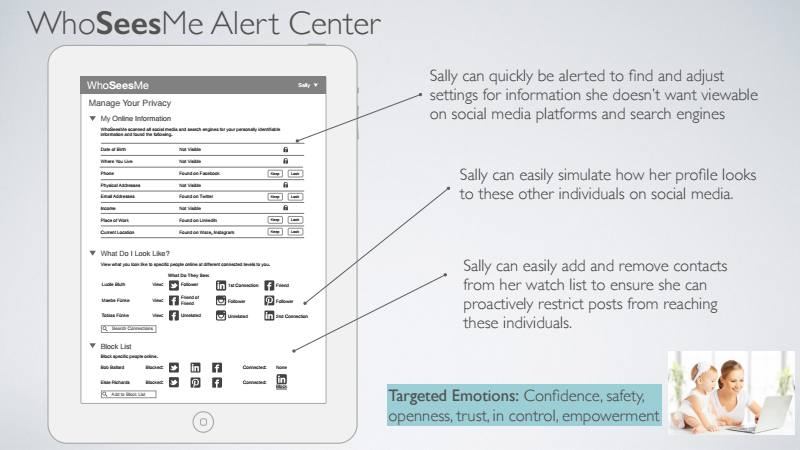
Wireframe 2 for WhoSeesMe. Click on the image to see it full size.
- IntelAware: Monitors of all your data-collecting devices and platforms so that you’ll always be aware of any suspicious activity around any of your online platforms.
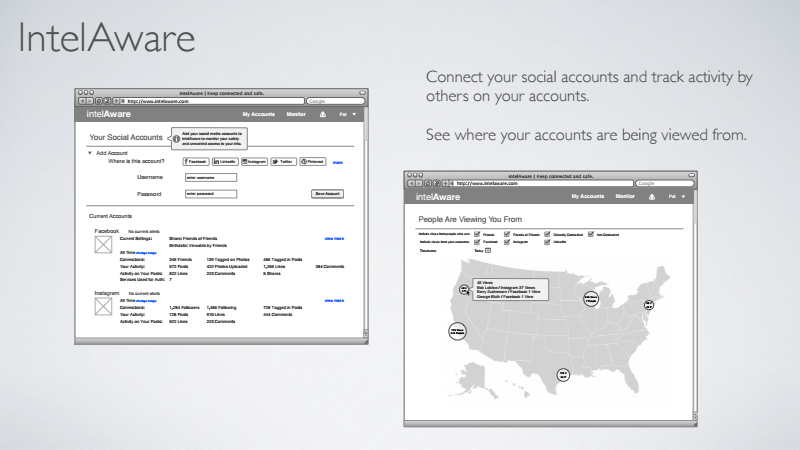
Wireframe 1 for IntelAware. Click on the image to see it full size.
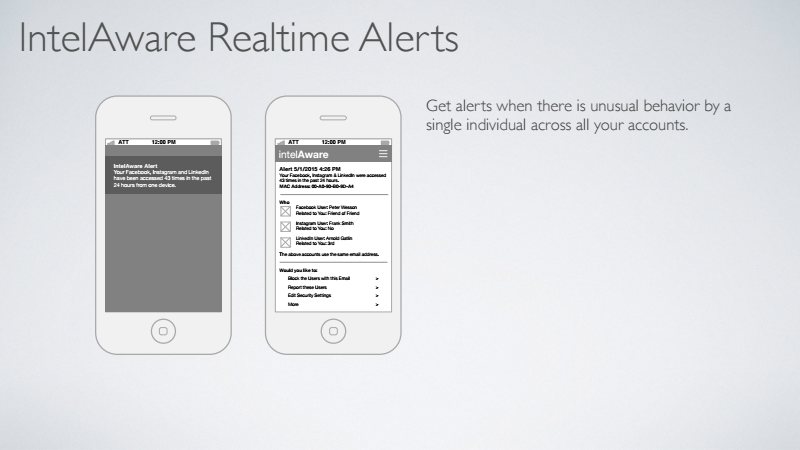
Wireframe 2 for IntelAware. Click on the image to see it full size.
Results
In the end, both the professor and the project sponsor were very happy with our results, and we all felt extremely fortunate to have worked with a talented group on a fascinating project. Andrea Wong presented the project at a brown-bag lunch at Intel’s offices.
We received a 4.0 on the project. Here’s an excerpt from the feedback we received:
“You did an excellent job on your Team Project. Christian… gave you all rave reviews. Congratulations!…
“The team zero’d in quickly on a user segment of great important to the future of Intel Security…. Super-high value to the new enterprise direction we’re taking as a company….
“Quality of presentation: Strong structure; Targeted problem statement and loved the “storytelling”….
“Quality of teamwork: Excellent…. Your presentation and your ideas were cohesive and powerful…. I was impressed by your abilities to come together quickly, work as a distributed team, and enjoy being a team.”
 Tracy Flynn UX