Background
This is not a project per se, but rather a window into how I organize the research work I do for my project team at Fidelity.
Since July 2015, I have been the UX research lead on a new-product team. In addition to doing actual research, I spend a significant amount of time prioritizing & scheduling studies and working with the team to get assets for the research studies in an Aglie-ish environment.
Although developers and designers often use JIRA at Fidelity, it’s rare for a researcher to get involved. But a couple months into the project, managing the research and prototype schedules for my complex, constantly changing project started to get cumbersome using MS Office software. Plus, these tools weren’t collaborative. I decided to embrace JIRA.

Process
The design team had started using a Kanban board to track their work for each iteration. Since my research studies weren’t beholden to iteration schedules (well, kinda), it was determined that research tickets would get their own issue type and be tracked in a separate Kanban board.
The Kanban columns were initially set up as:
- Define test goals
- Define scenario
- Define screens
- Build prototype
- Test prototype
- Read out
That worked great initially, but once I started working on a quant study, these categories no longer applied. I changed them to:
- Backlog
- Scheduled
- Study Prep
- Study Follow Up
- Done
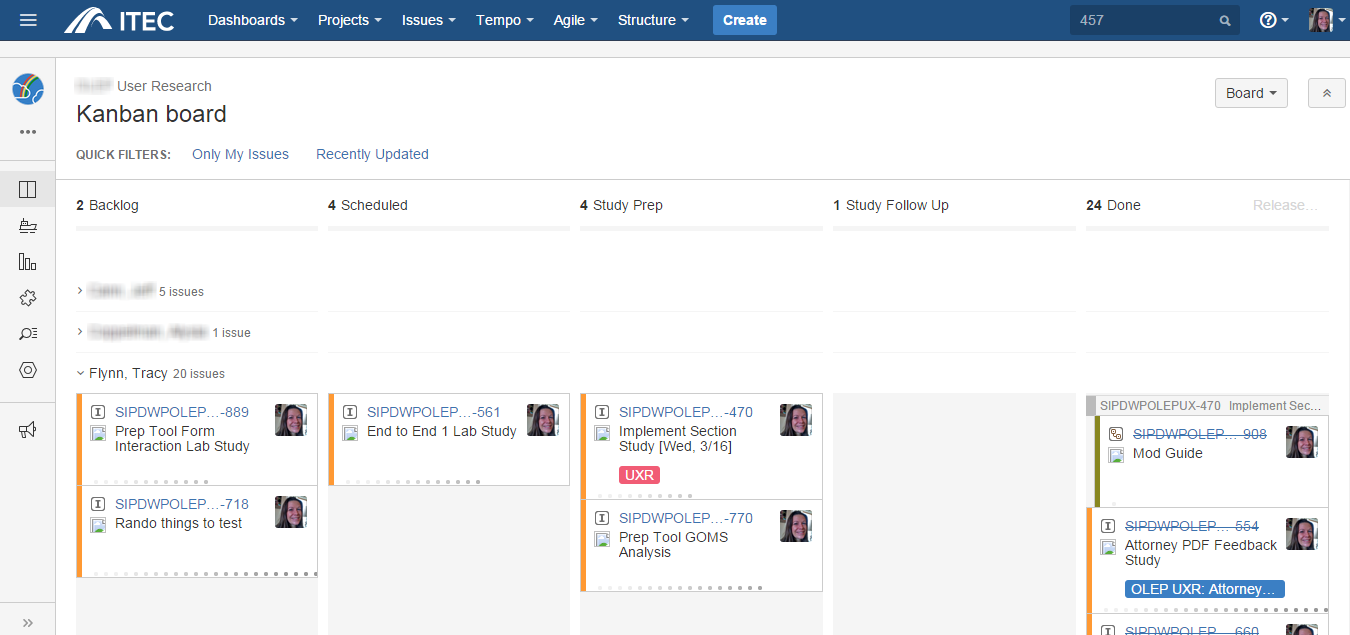
Click the image to see it full screen.
Each ticket represents one research study, and I adopted a standard format for the ticket description that included study goals and methodology.
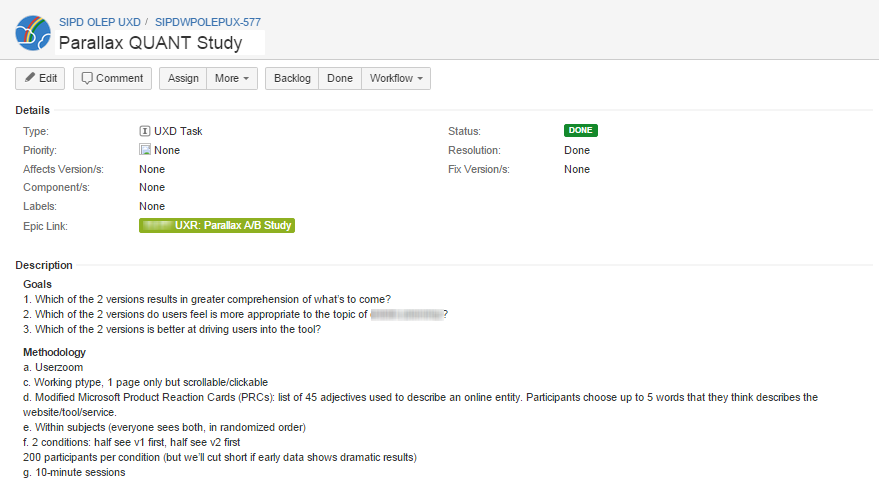
Click the image to see it full size.
Each week, I hold a UX research check-in meeting at which the UX team and business partners discuss upcoming research. After each meeting, I post updates and follow-up points to the Comments section of the appropriate JIRA tickets so we can track the progress of the studies in one universally accessible place. The team also posts visuals and other assets directly to JIRA rather than emailing.

Click the image to see it full size.
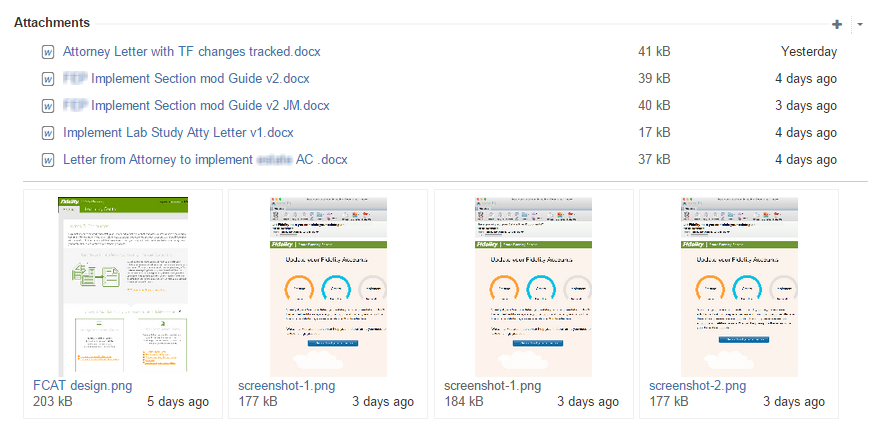
Click the image to see it full size.
At the end of each study, I also create a JIRA issue—a Bug—for each usability issue discovered in the study. Each Bug is linked to both the study in which it was discovered and the product pages affected. In addition, I include a screenshot of the design tested in each of these Bugs so we can see exactly what the issue refers to.
I periodically review all outstanding usability issues to determine if something needs to be tested with a new design or if it can be closed out entirely.

Click the image to see it full size.
Finally, I post the final report to the appropriate JIRA ticket for future reference.

Click the image to see it full size.
Conclusion
While there have been some glitches in my JIRA system, it ultimately has worked out very well. The true test: when my team got a new project manager seven months into the project, he was able to get up to speed on user research via JIRA without any additional meetings or document exchanges via email.
 Tracy Flynn UX